
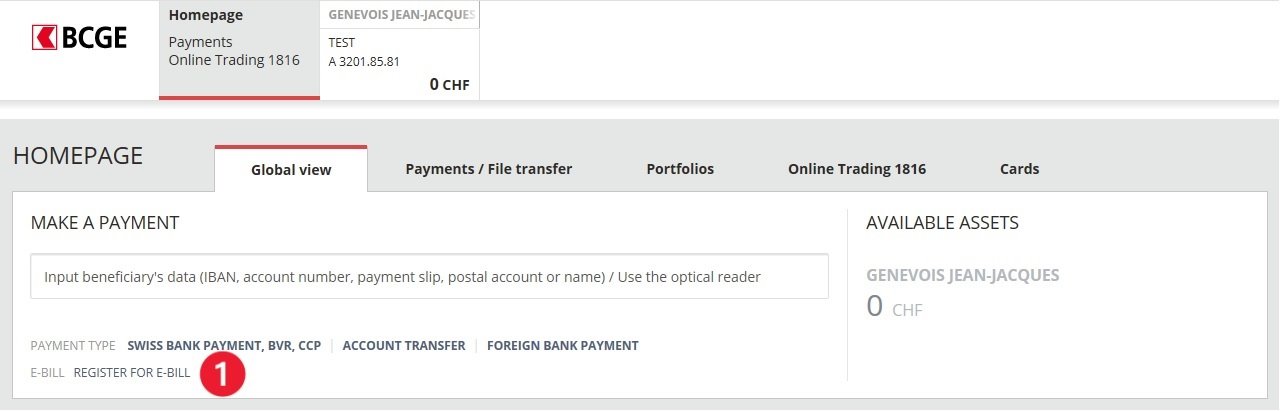
1- From the homepage of your Netbanking, click on "eBill: Register for eBill"
2- Accept the eBill general conditions and click on the "register for eBill" button

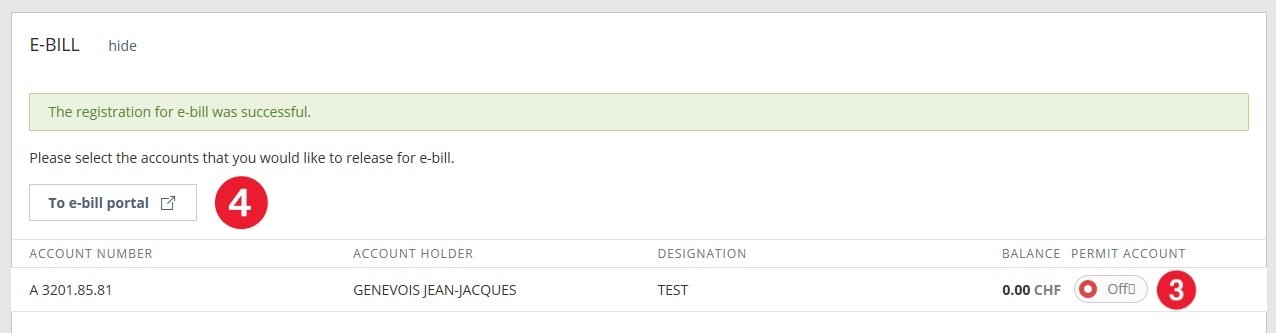
3- Select the account(s) you wish to link to the eBill service
4- Click on "Access to the eBill portal"
2- Accept the eBill general conditions and click on the "register for eBill" button
3- Select the account(s) you wish to link to the eBill service
4- Click on "Access to the eBill portal"
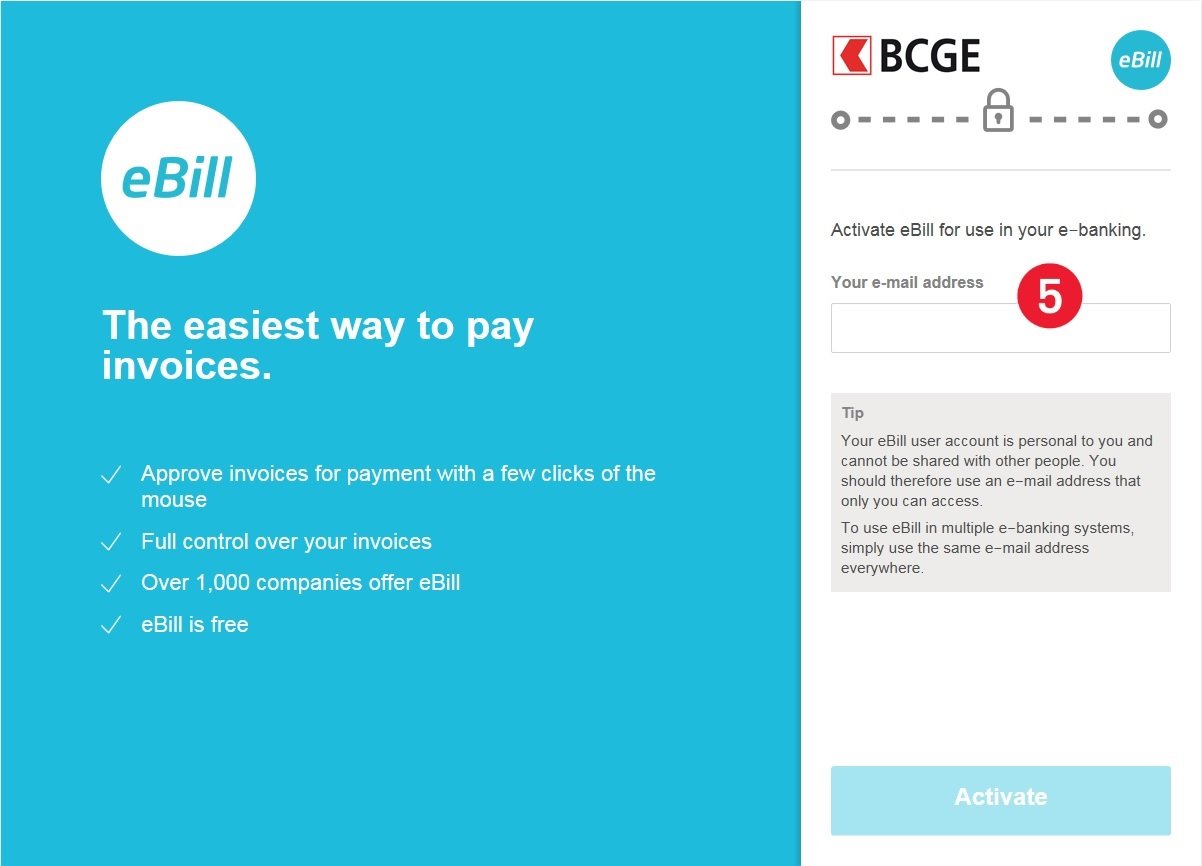
5- Access to the eBill portal
If you have already registered an e-mail address for e-bill, it will be displayed. If you wish to continue using this e-mail address click on "Activate"
If you would like to register another e-mail address, enter the new address and click on "Activate"
Most viewed questions
- How do I use the payment wizard ? 7125
- How do I find my payment models ? 3972
- How do I make a payment using a payment slip ? 3297
- How do I find my account information (IBAN) / how do I find my RIB ? 2871
- How do I view my account and custody account movements ? 2815
- How do I create a standing order ? 2756
- How to do a "Swiss bank payment" ? 2692
- How do I activate CrontoSign Swiss ? 2483
- I have changed telephone; how do I reactivate my Mobile Netbanking application? 2305
- How do I register for the eBill service ? 2107